

Start your free trial
Book a call to get your Nova account set up.
How Nova Works in Teamtailor
Setting up the Nova-Teamtailor Integration
Configure ATS User Settings
Complete ATS User Settings GuideHow Nova Scores Appear in Teamtailor
When Nova processes a candidate, the results appear as a partner result directly on the candidate’s profile in Teamtailor. This integration provides both a quick summary view and detailed analysis accessible from the candidate card.
Candidate Card Display
Nova scores are prominently displayed in the candidate’s activity timeline with a clear status indicator: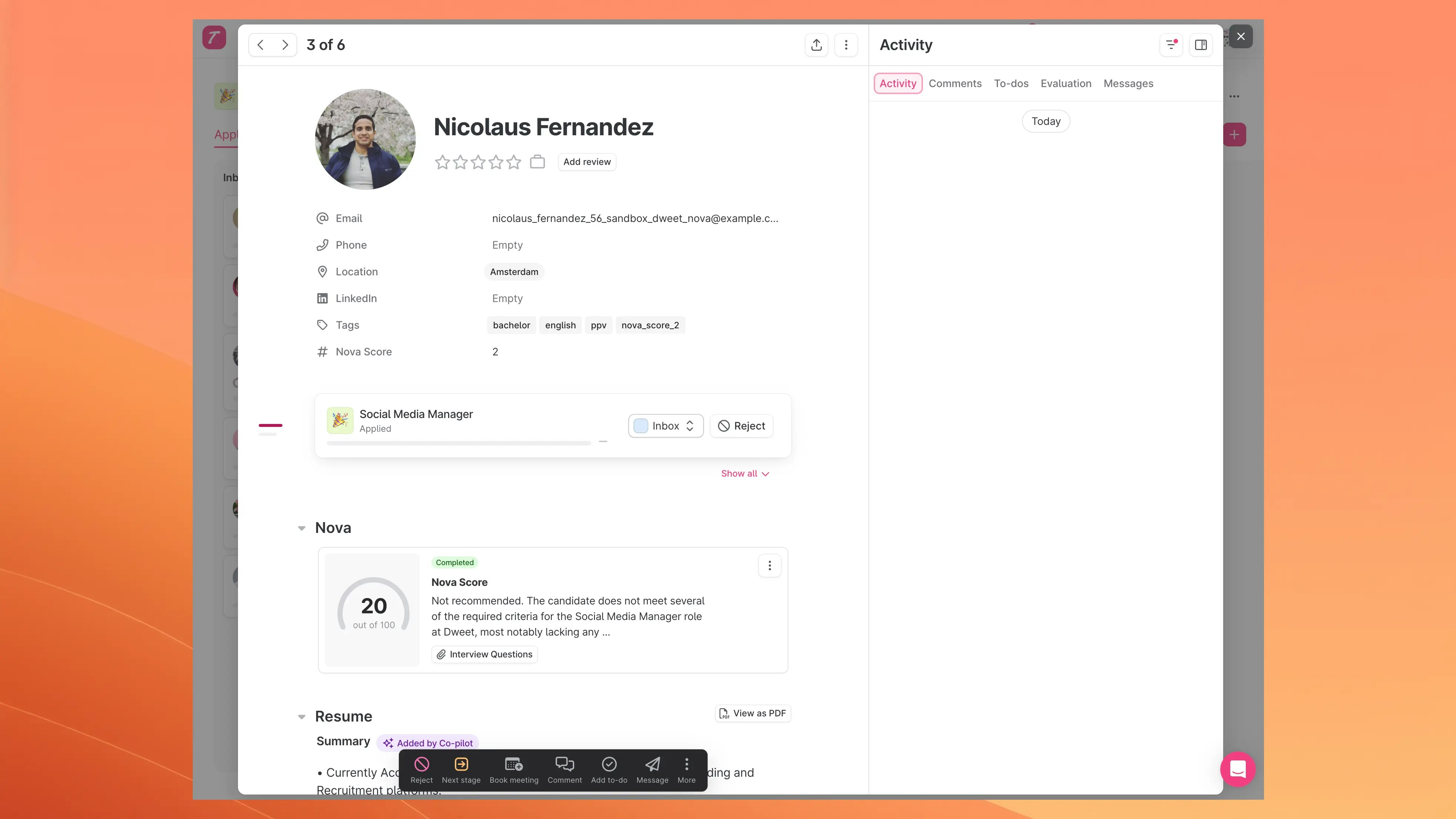
- Nova Score: The overall score out of 100
- Status: Completion status (e.g., “Completed”)
- Summary: Brief assessment summary
- Interview Questions: Access to Nova generated interview questions (see Nova AI Screening)
The interview questions are only available if you have this feature enabled. To enable this feature, contact your account manager at nova@dweet.com.
Detailed Scoring View
Clicking on the Nova result opens a modal with the full analysis: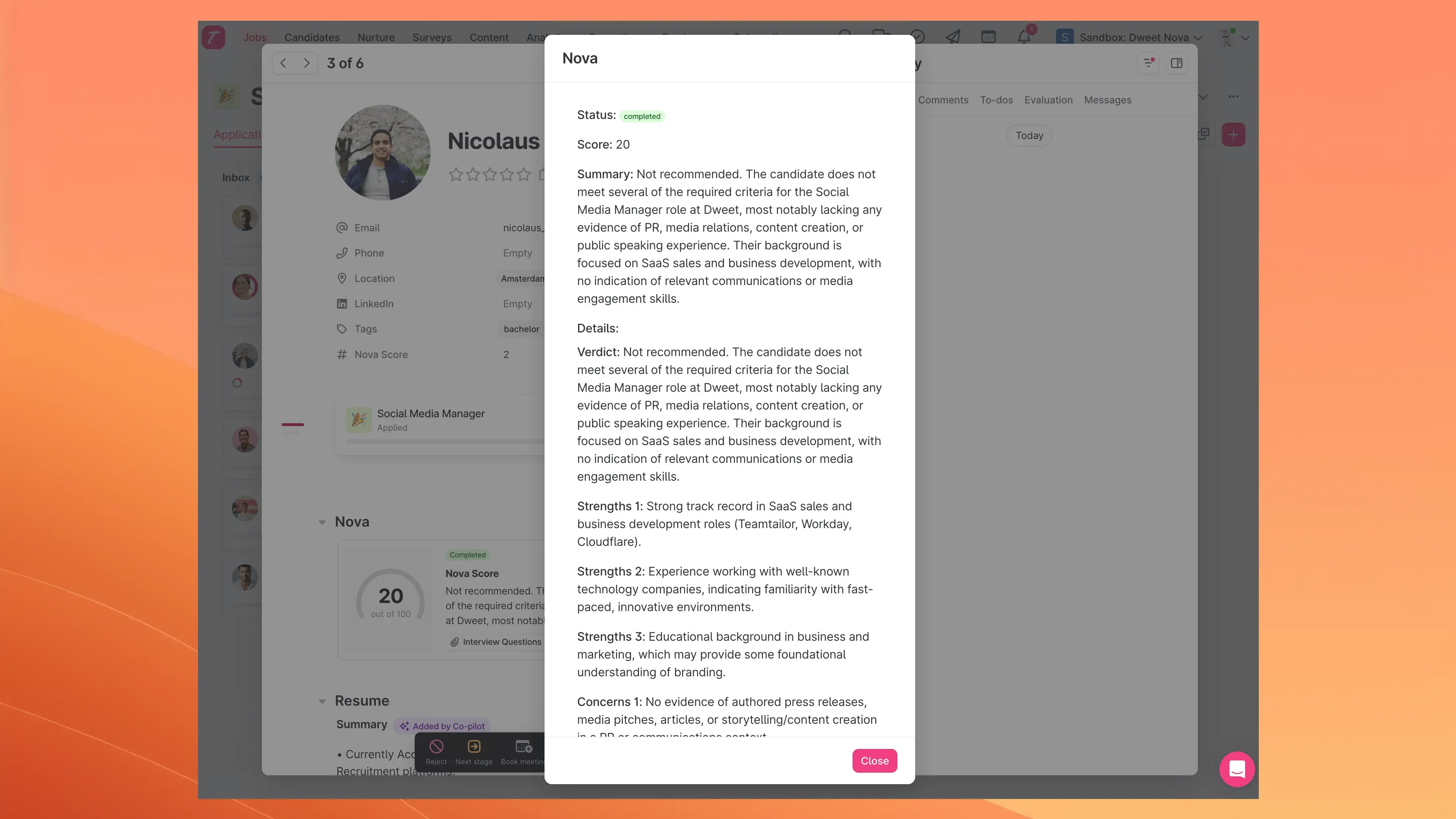
Tag Management with Custom Fields
Nova uses a custom field in Teamtailor instead of native tags for auto-tagging. This keeps Nova tags organized separately from your general-purpose tags.How it Works
When you configure “ATS Tag Management” in Nova, you are managing the options of a multi-select custom field named “Nova Tags” in Teamtailor. This allows you to define a clear, consistent set of tags for AI analysis while keeping them organized separately from your general-purpose tags in Teamtailor. You can use this custom field to filter candidates by tag in Teamtailor as demonstrated in the video below.Filtering Candidates by Nova Score
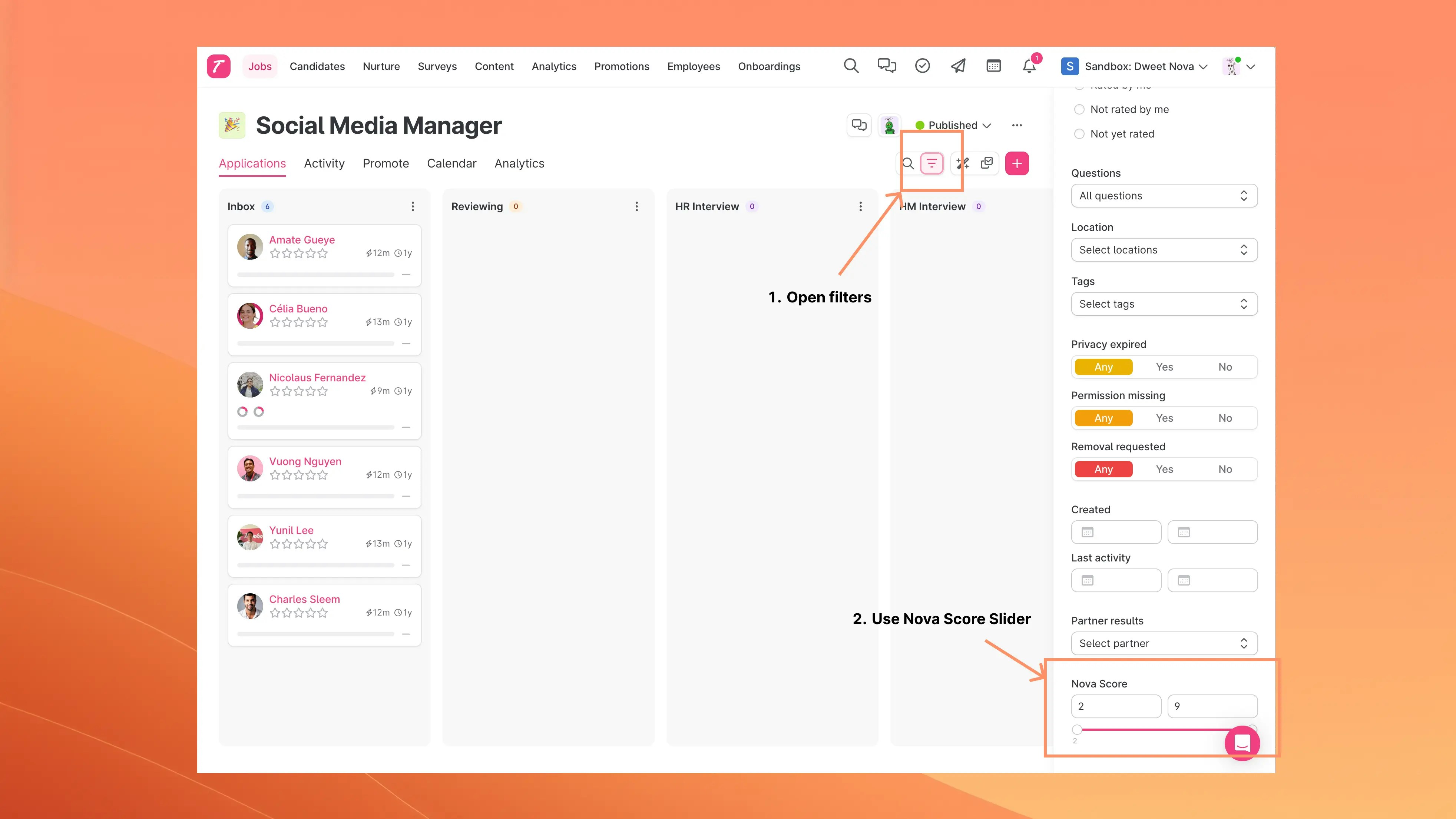
You can filter candidates in Teamtailor based on their Nova scores.Using the Nova Score Filter
To filter candidates by Nova score in Teamtailor:- Open filters: Navigate to your candidate list and click on the filter options
- Use Nova Score Slider: Locate the “Nova Score” filter and use the range slider to set your desired score threshold
LinkedIn Profile Support
For candidates who don’t have a CV attached but have a LinkedIn profile URL, Nova can automatically retrieve and analyze their LinkedIn profile data for scoring. Key details:- This feature is disabled by default
- Contact your account manager at nova@dweet.com to enable LinkedIn profile scraping
- When enabled, Nova will automatically use LinkedIn profile data when no CV is available
- Applies to all candidates in Teamtailor with LinkedIn URLs but no uploaded resume
Automatic Candidate Filtering
Nova automatically skips scoring for rejected candidates to save credits.
- Rejected candidates