

Why configure a dedicated user
Creating a dedicated “Nova” user in your ATS provides clear attribution for AI-generated content. This helps your team distinguish between human and AI contributions at a glance.Setup instructions
Create a Nova user in your ATS
Create a new user account in your ATS named “Nova” with recruiting team permissions.
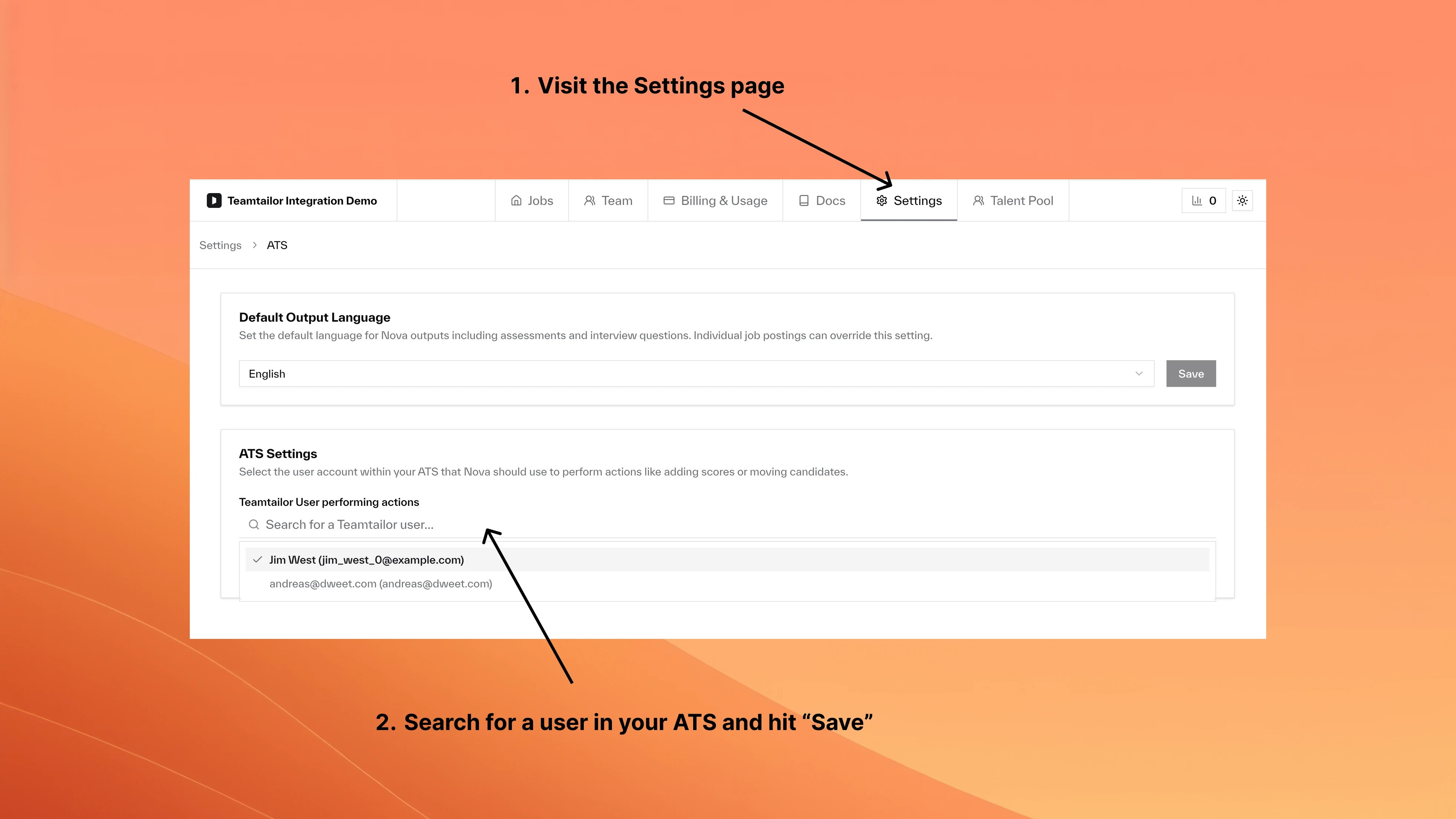
Using an existing user
You can configure Nova to use any existing team member instead of creating a dedicated user. Follow the same ATS Settings steps and select the desired user.FAQ
What happens to existing Nova content?
What happens to existing Nova content?
Previous content retains its original attribution. Only new content uses the updated user.
Can I use different users for different jobs?
Can I use different users for different jobs?
No. The setting applies company-wide to all Nova-enabled jobs.